![HQ1.png]](https://knowledgebase.mmgfusion.com/hs-fs/hubfs/HQ1.png?height=40&name=HQ1.png)
The Analytics Tab under Local Directories → Analytics presents performance data aggregated from Google Searches, Google Maps and Bing. The “?” icon next to each title explains what each content block represents
Under Local Directories → Analytics, you may view:
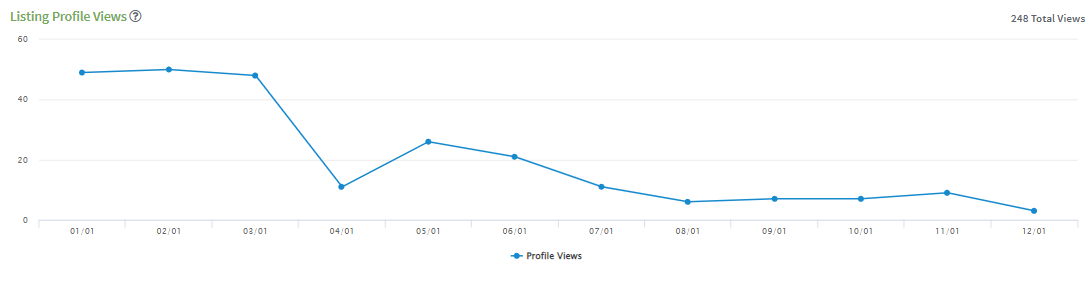
- The number of times consumers viewed your profiles on any sites
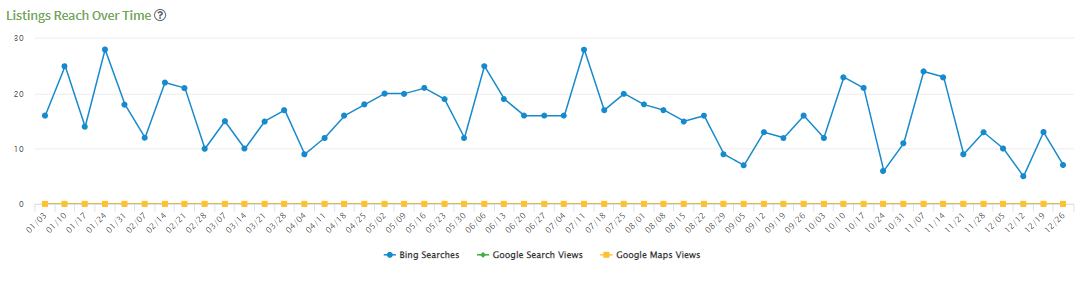
- The number of time your listing appeared in search results across Google and Bing
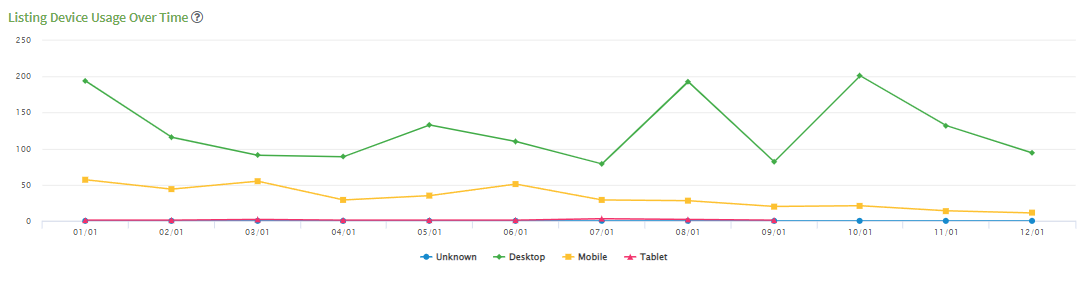
- The number of times your listings appeared on each device type (Desktop, Mobile, Tablet)
- The number of times consumers took action from your listing (click to call, click on a link, directions)
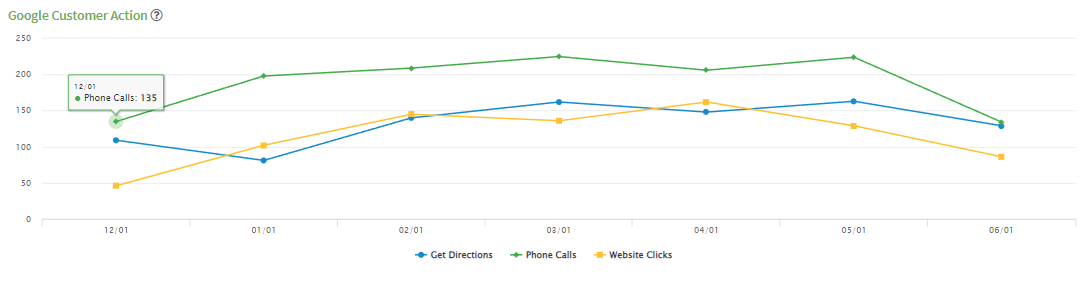
- The number searches on Google and Bing
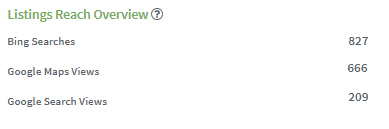
- The number of times your listings appeared on each device type (Desktop, Mobile, Tablet) broken down by days of the week
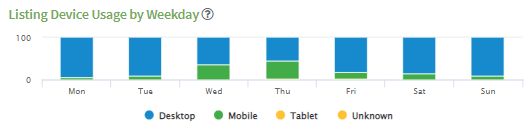
- The number of times consumers searched for your listing on Google broken down by branded and unbranded searches
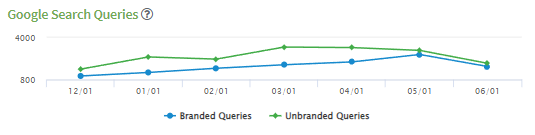
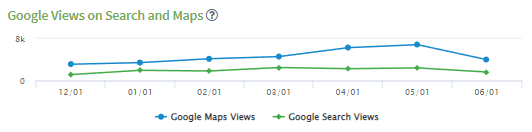
- The number of ties your listing appeared specifically on Google search and Google Maps
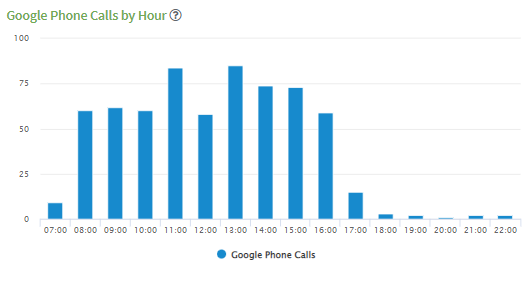
- The number of times consumers clicked to call from a link on your listing from a mobile device, broken down by the hours of the day
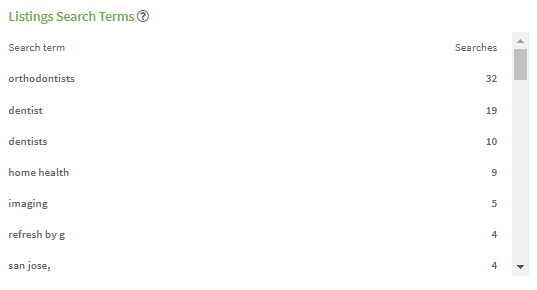
- The most common search terms consumer use to search for your listing