![HQ1.png]](https://knowledgebase.mmgfusion.com/hs-fs/hubfs/HQ1.png?height=40&name=HQ1.png)
First, you will need to create a new extension.
Settings → Phone → Extension
Enter the new phone number you wish the tracking number to forward to under both the extension and the forward to field. Select "Forward" for the type, and save.

You will then need to create a new call routing by going to.
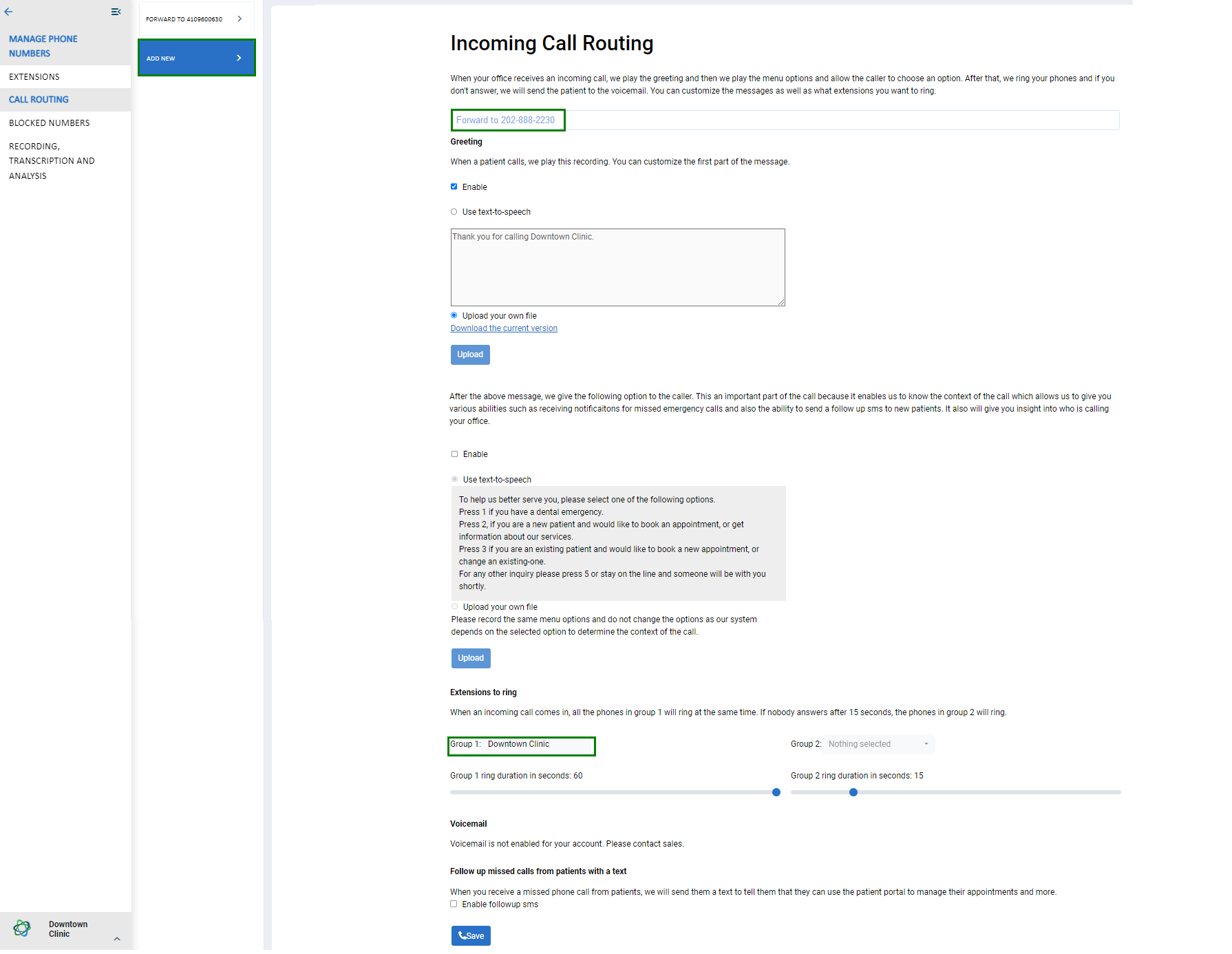
Settings → Phone → Call Routing → Add New
The new routing profile is the same as the initial one and include:
- A greeting: This is the greeting that is read to the caller when the call is answered by the system. You can use Text-to-Speech or upload your own mp3 file or disable the greeting.
- A menu option: This menu is used to collect more information about the intent of the caller. It doesn’t change the flow of the call, but it allows MMG to know why the caller called. This helps with call analytics by giving context to the call. This can also be disabled.
- Once the menu is read to the user, the call will be forwarded to all the extensions in “Group 1”. Extensions can be real phone numbers (like cell numbers), or the main number of the office or, in case that MMG Fusion is providing the phone service, it can be any extension within the office.
- The extensions that are in group 1 will ring for 15 seconds and if no one answers the call will be forwarded to all the extensions in group 2 (you may extend to 60 sec). They will then be ringing for 15 seconds and if no answer is received the call will be forwarded to the voicemail (which is integrated into the comm-hub).
- Depending on the services that the office has subscribed to, some of these features may not be available and the cost of them may vary depending on the package that the office has subscribed to.
To make sure you can differentiate the call routing profiles, make sure to name them appropriately.
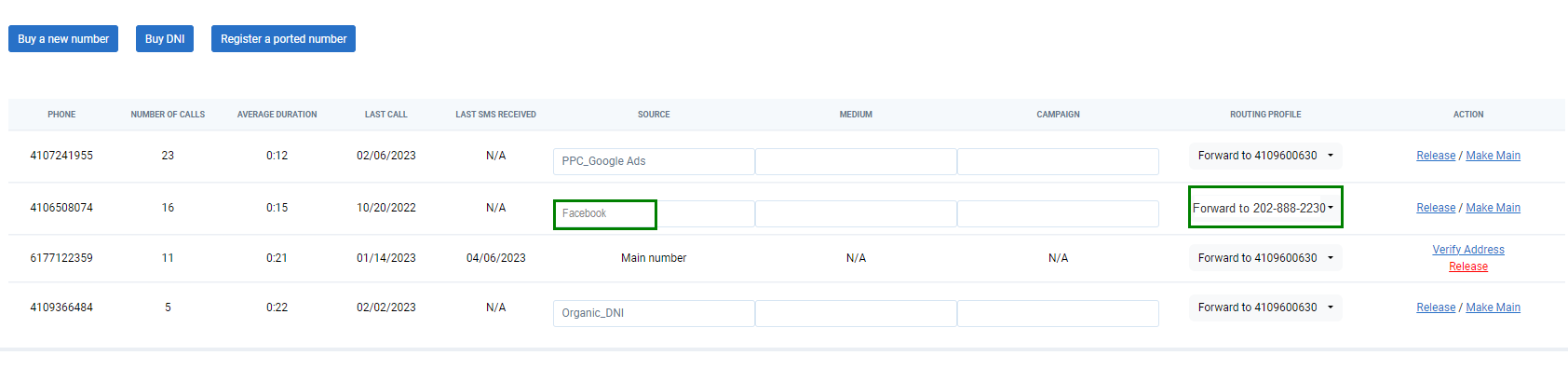
Since you now have multiple routing profiles, make sure to go back to "Manage Phone Numbers" and assign the correct routing profile to the tracking numbers.
Settings → Phone → Manage Phone Numbers