![HQ1.png]](https://knowledgebase.mmgfusion.com/hs-fs/hubfs/HQ1.png?height=40&name=HQ1.png)
You may view your patient’s communication in a few different ways:
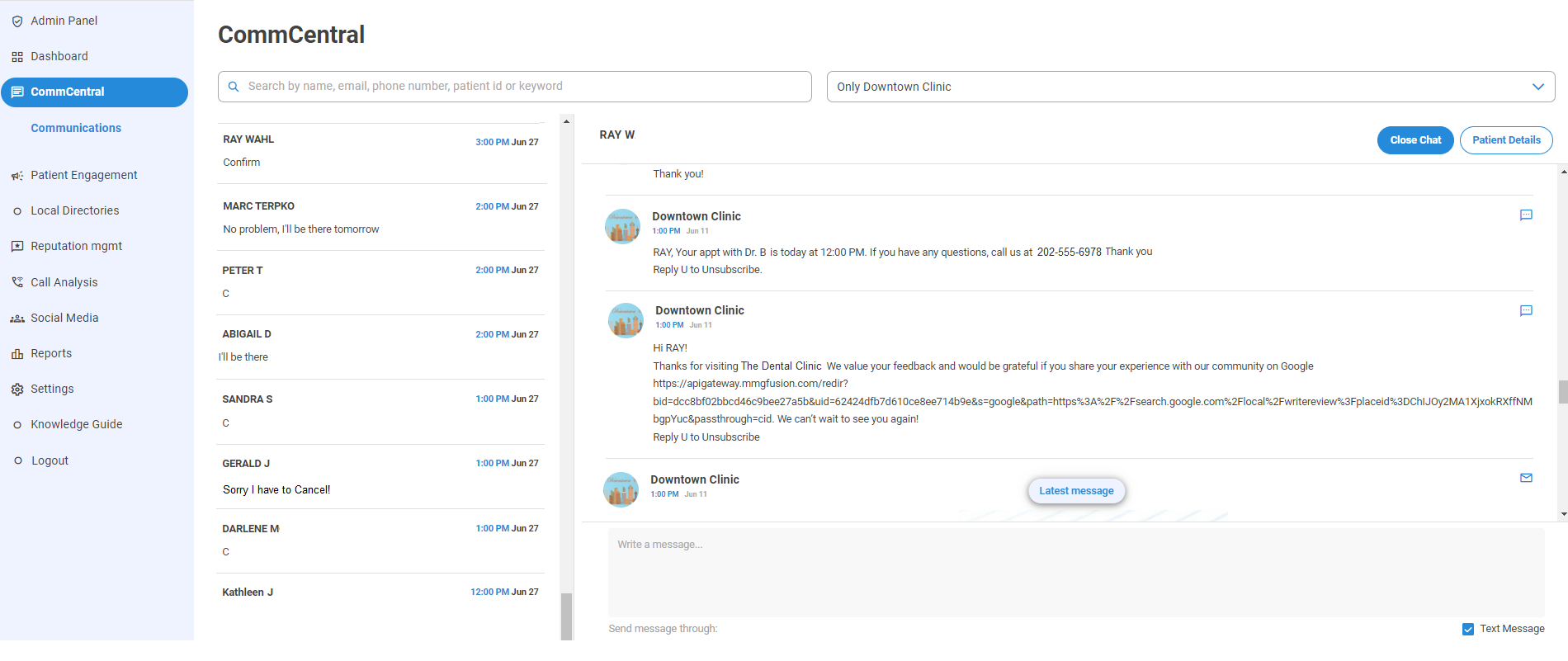
Via CommCentral: This is the main area to view all of the inbound and outbound communication
Go to CommCentral → Search or click on the patient to view their thread
Watch the video below for more details!
Via appointments in Patient Engagement: For a quick link to CommCentral when looking at your appointments for the day
Go to Patient Engagement → Appointments → Select patient → Click on the arrow under Actions (last column on the right) to view their thread

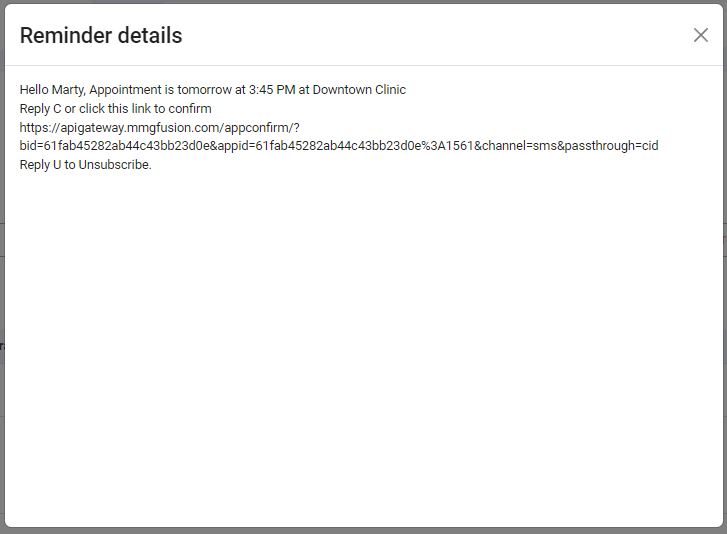
From the same spot, you can also view the latest communication sent out by clicking on the link under “Reminders” to view the pop up reminder details
Via the Communication Outbox: For a specific search
Go to Patient Engagement → Communication Outbox →Search with the name of the patients and narrow the search using the available filters
