![HQ1.png]](https://knowledgebase.mmgfusion.com/hs-fs/hubfs/HQ1.png?height=40&name=HQ1.png)
In Appointments, click on the name of the patient to open their profile
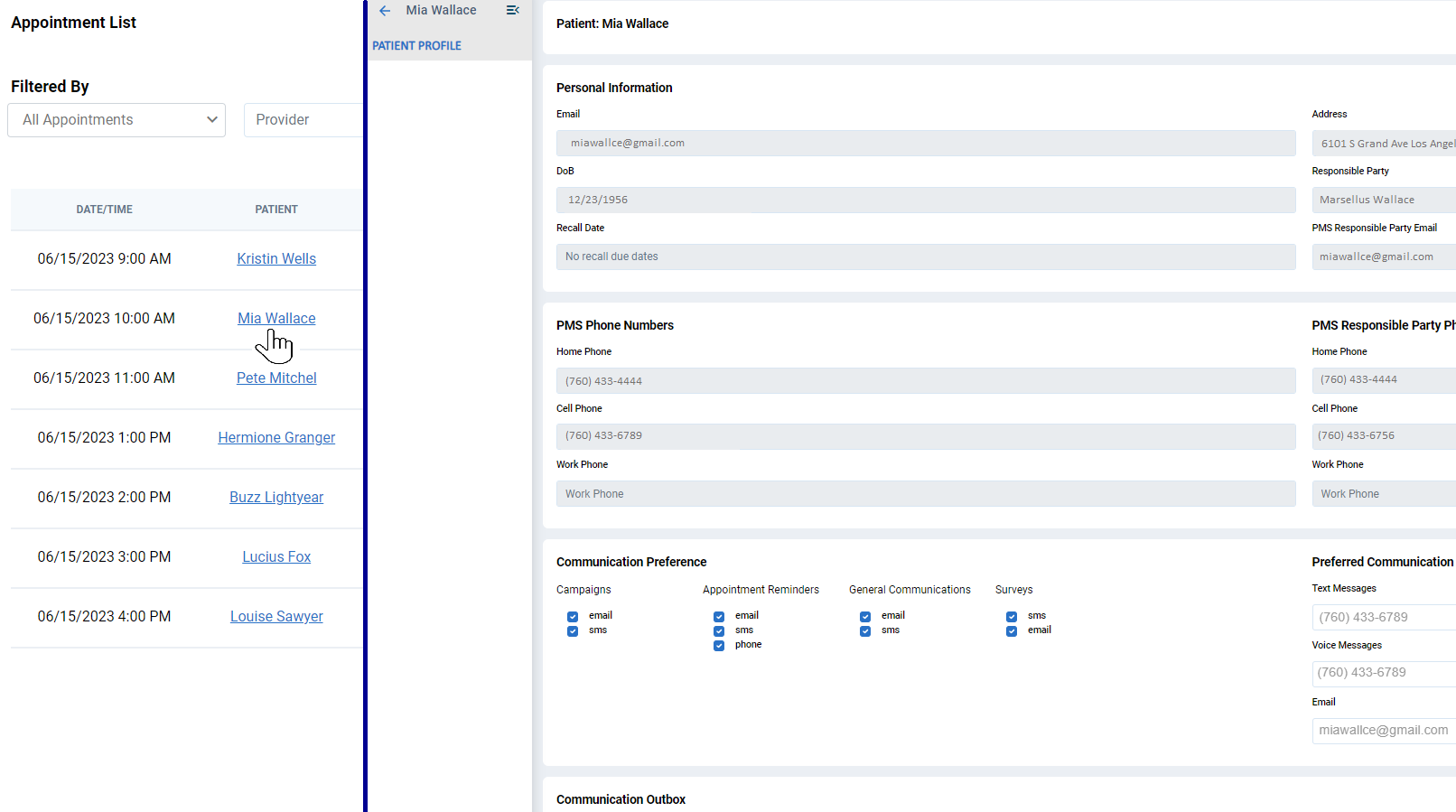
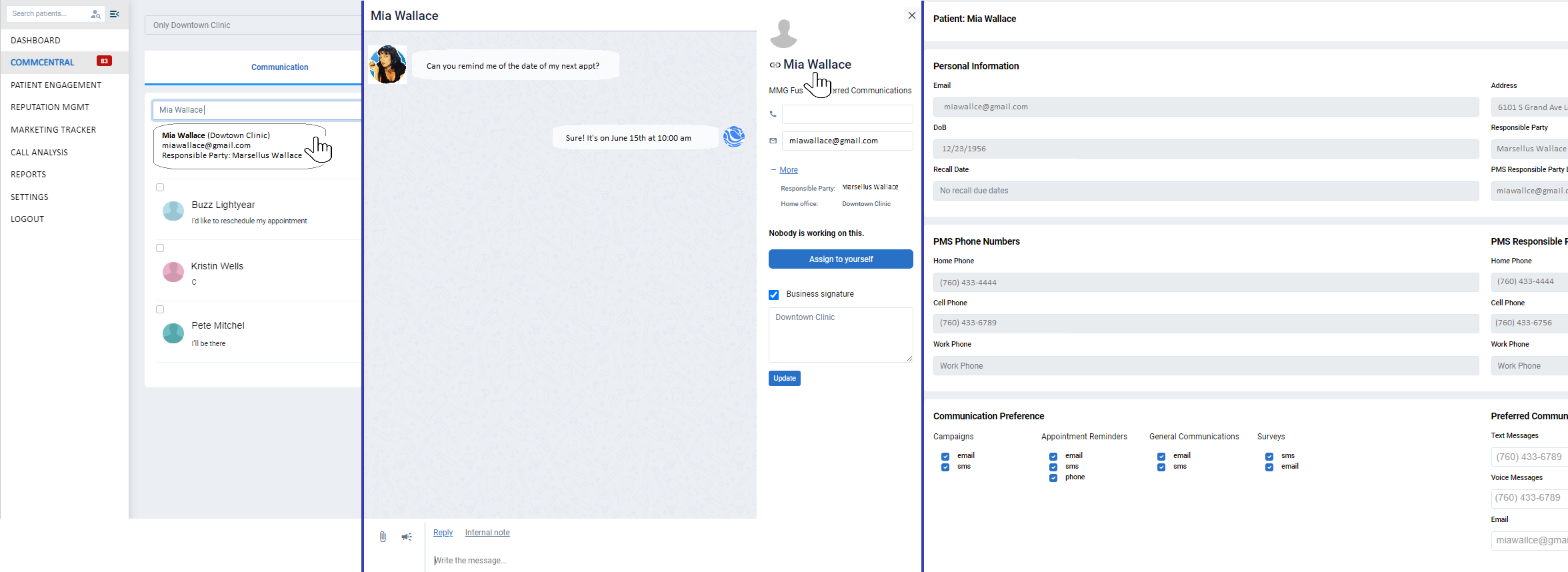
In the Communication Outbox, search the patient by name, then click on the name of the patient to open their profile
In Commcentral - Search the patient by name. click on the name to open their communication thread. In the upper right corner, click on the name of the patient to open their profile
Watch this video below for more details!